Broadcast Metrics
Prompt.io offers a real-time dashboard and metrics funnel view of your broadcast. This function is only available to Admins.
- Navigate Home→Broadcasts
- Use the three dot icon on the right of the list entry and "View Metrics"
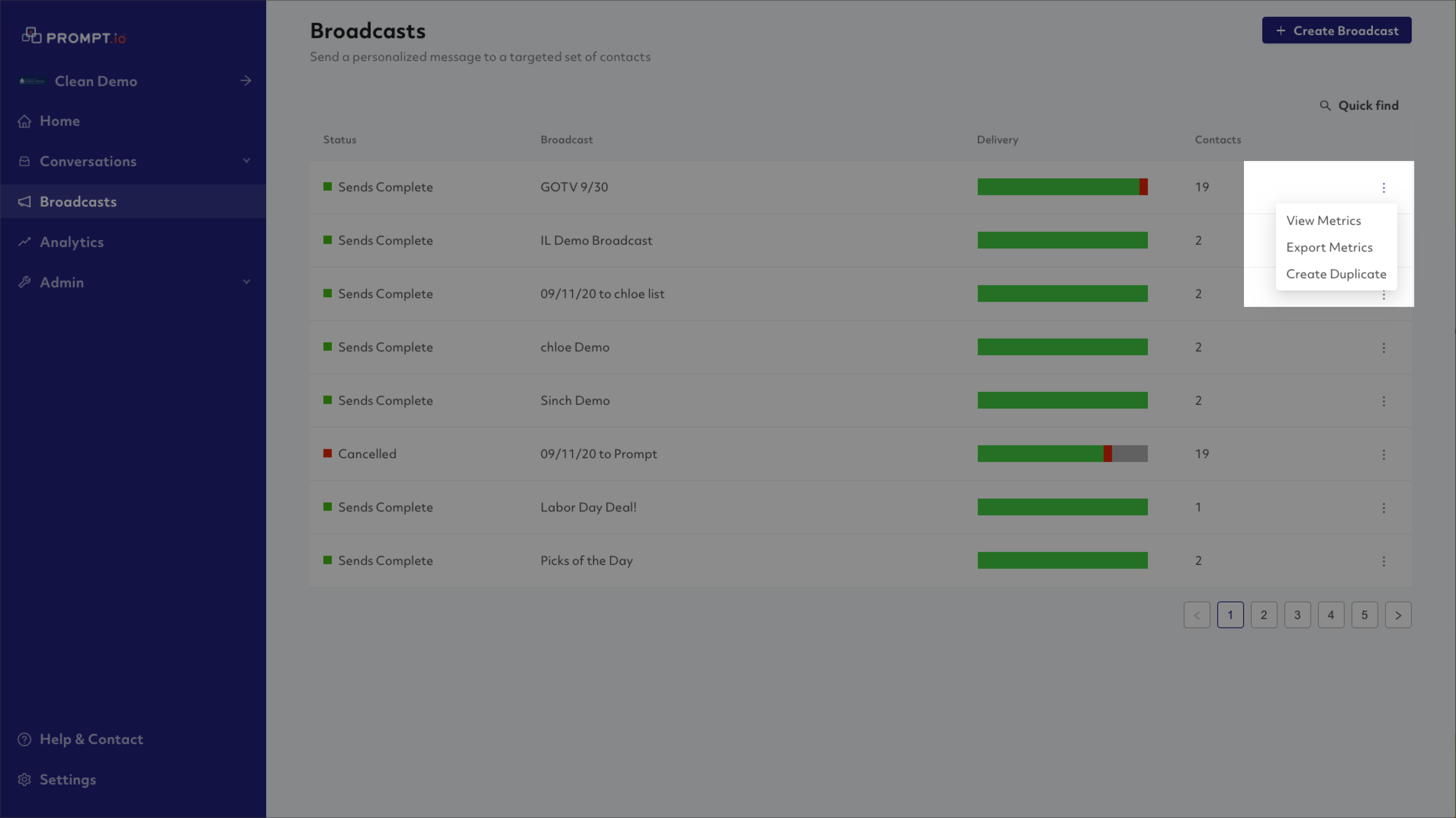
View Metrics
This is a near real-time dashboard of the performance and status of your broadcast.
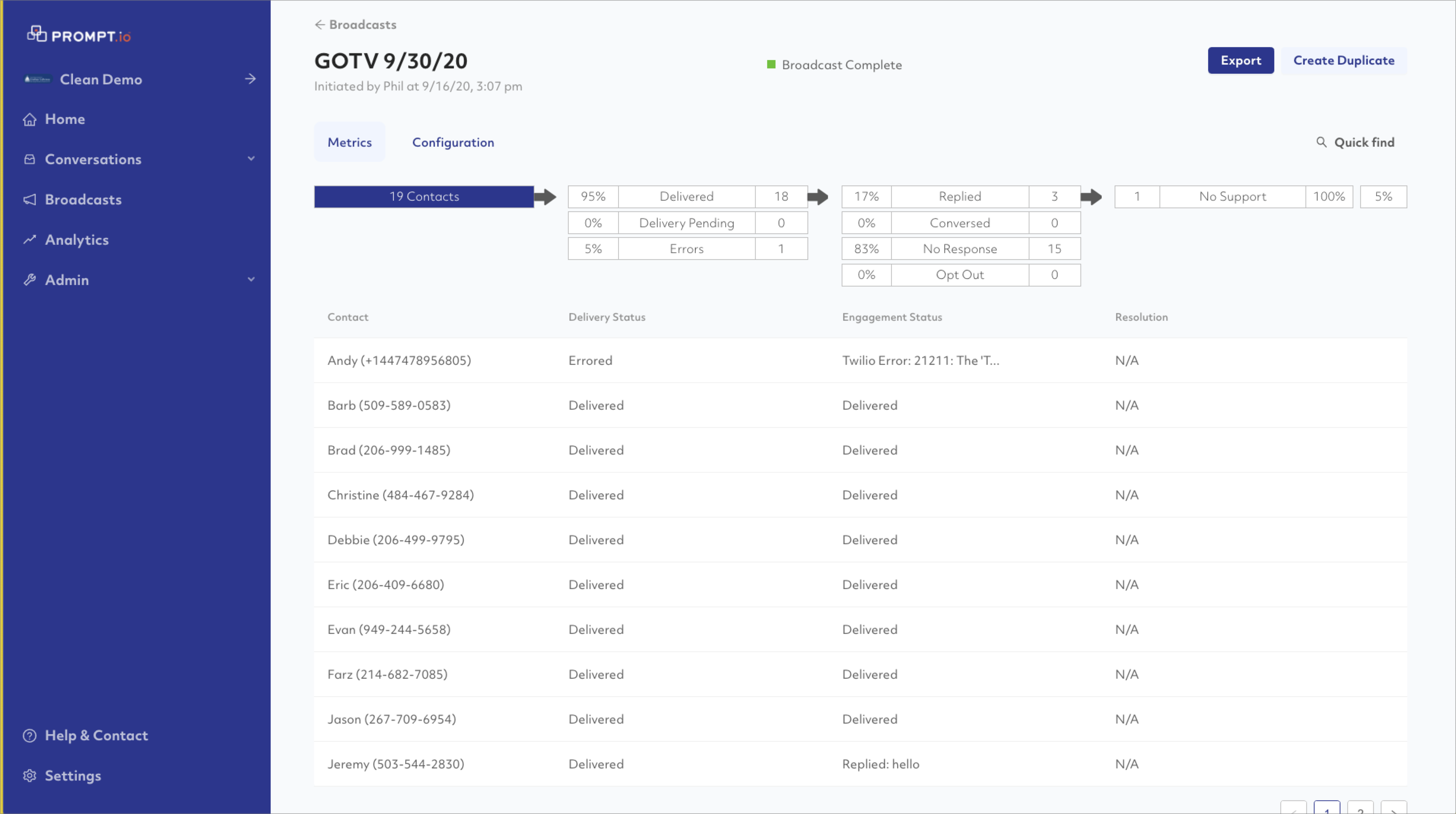
Funnel

Select a category and the contacts matching that criteria will be filtered below.
Delivery Statuses
- In Send Queue (not pictured above) Messages that have not yet been sent by a staff member and are waiting in the Send Queue.
- Delivered Messages that were delivered to a contact
- Delivery Pending Messages that have been sent by a staff member but have not yet been delivered
- Errors Messages where delivery was attempted but an error occurred (typically not a mobile number, etc)
Engagement Statuses
- Replied A contact that replied to your broadcast
- Conversed A contact replied to your broadcast AND a staff member followed up with a response. In other words, a conversation resulted from your broadcast message.
- No Reponse The contact never replied
- Opt Out The contact replied with a carrier keyword like STOP.
Tags Added
The fourth column counts tags that have been added to a contact as a result of a Broadcast message. In these cases, any new tags that are applied to a contact are incremented. Note that Macros actions that add tags will cause these stats to increment.

Examining a Contact
Select any contact record. The right side bar will expand and show you the conversational view and any associated data for that contact.
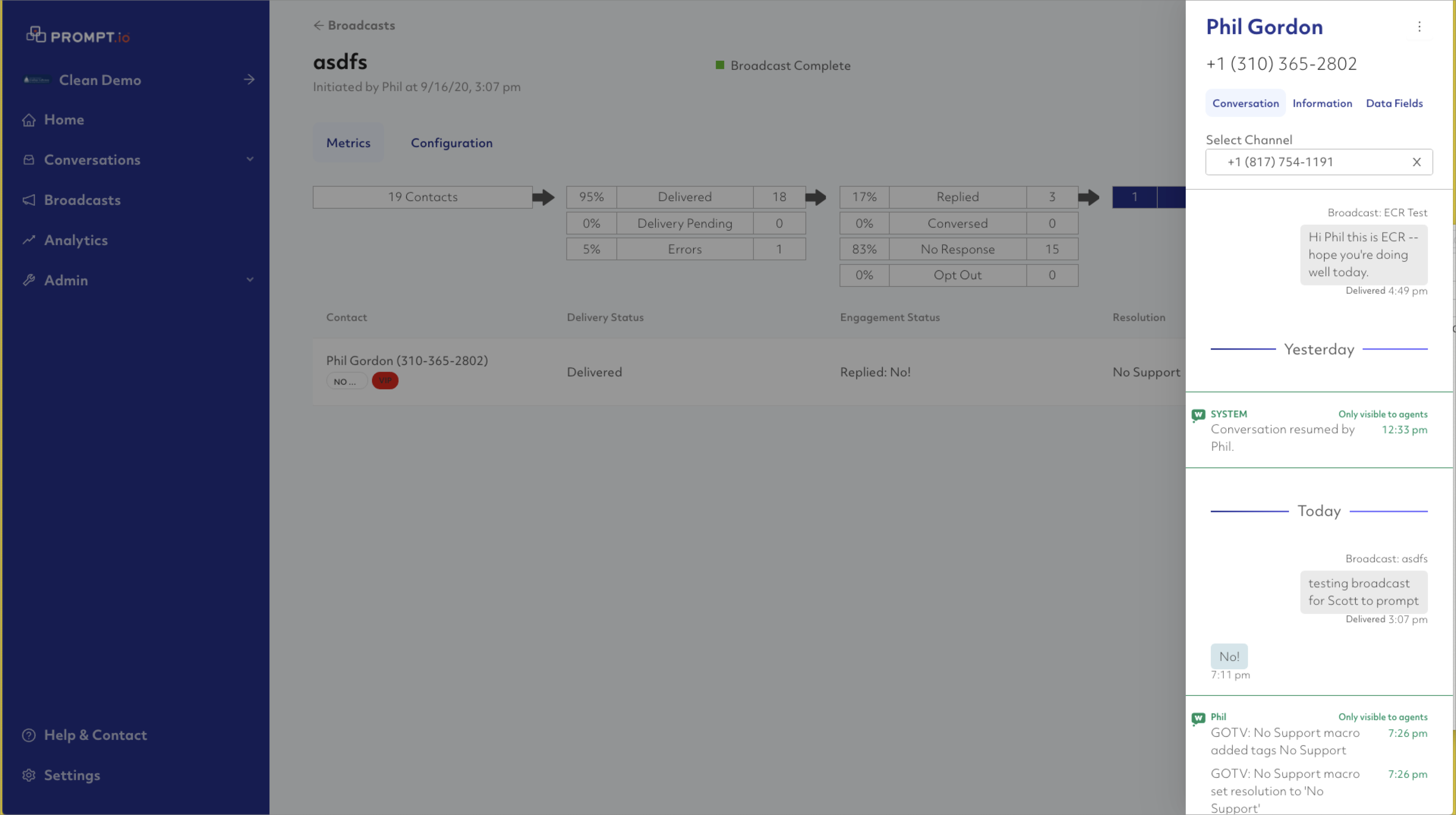
There are three tabs here:
- Conversation will show the full history for this contact
- Information displays data about the tags, lists, and such associated with the contact
- Data Fields will display any associated key-value data as imported to this contact
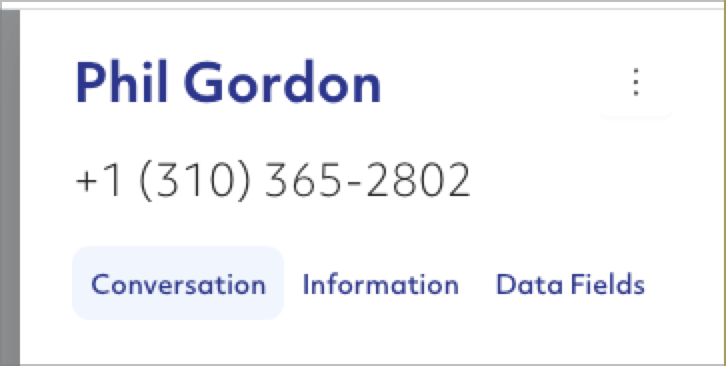
Click the three dot icon in the upper right to expose options for this contact that include the ability to open a new conversational window for this contact so that you can reply.
Exporting Metrics
The metrics can be exported to a CSV. Select a funnel category and click the "Export" button at the top right.